在搜索栏开始输入后,将显示建议内容。请使用上下箭头进行查看。请使用回车键选择。如果所选内容为短语,则会使用该短语进行搜索。如果建议内容为链接,浏览器将跳转至该页面。

Upgrades make your calendar easier to manage on mobile

Select multiple dates with one swipe and show a full year at once.
Airbnb2023年5月3日发布
更新日期:2023年5月25日

Editor’s note: This article was published as part of the Airbnb 2023 Summer Release. Information may have changed since its publication. Learn more about our latest product release.

A Host’s calendar is one of the most frequently used parts of the Airbnb app. You’ve told us that doing simple tasks takes too much time, like having to tap on individual dates to select multiple weeks.

We’re rolling out two upgrades to make it easier to manage your calendar on mobile.

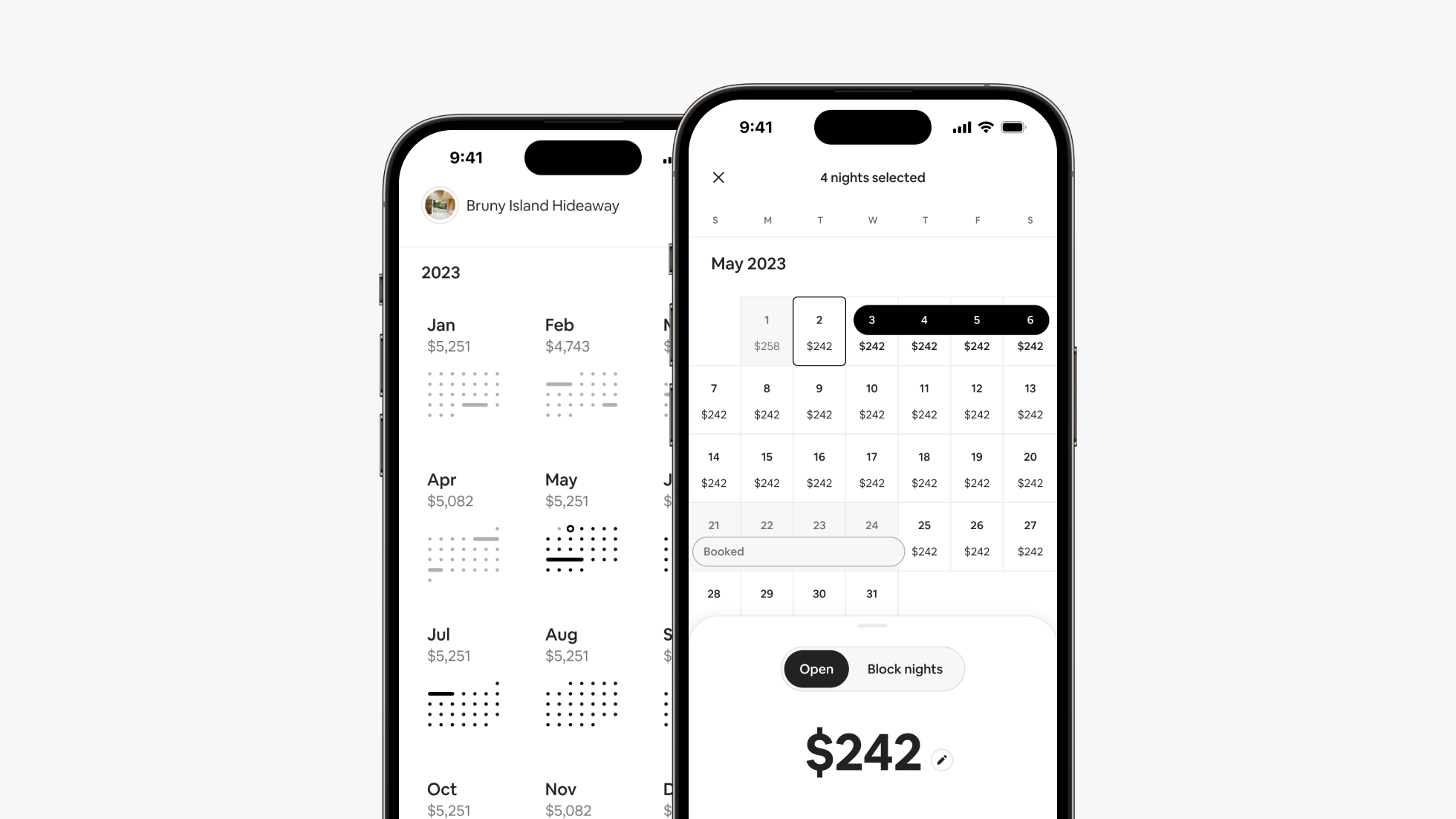
  • Swipe-to-select dates: Select a range of dates by pausing on the first one, then swiping across and down to add the rest. For example, is next week still available? You can change your price for those dates without closing your calendar or switching screens. 

  • Yearly view: Starting in June, you’ll be able to show your availability for the entire year, and each month’s price, on one screen. Select “Year” in the drop-down menu at the top of your calendar to show all 12 months at once. Dates with current, future, and pending reservations are highlighted in the same colors as in monthly view. Tap any month to edit your nightly price for that entire month.  

We’ve moved all your pricing tools to one convenient place on your calendar. Simply tap the settings icon at the top right of the screen. You can also use the buttons below your price to compare the average prices of similar listings booked nearby, or get a breakdown of what the guest pays and you earn.

These updates are part of the Airbnb 2023 Summer Release, featuring 25 upgrades for Hosts. Opt in to Early Access to start using these new tools today.  

Airbnb
2023年5月3日
这对您有帮助吗?